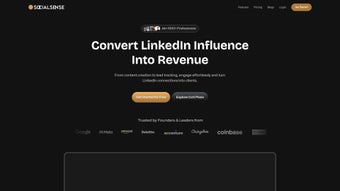

Download SocialSense – LinkedIn Branding, Content Inspiration, AI Post Generator
Overview: Why SocialSense is the LinkedIn Tool You’ve Been Waiting For
In today’s hyper‑connected professional world, a strong LinkedIn presence is no longer optional—it’s a career‑making necessity. SocialSense answers that call with a subscription‑based web platform that blends curated industry ideas, AI‑driven post creation, and a handy Chrome extension for rapid commenting. Whether you’re a solo entrepreneur, a corporate marketer, or an agency handling multiple client profiles, SocialSense consolidates everything you need to publish high‑quality, engaging content without spending hours brainstorming.
The application’s core promise is simple: make LinkedIn marketing effortless, consistent, and measurable. By providing a searchable inspiration hub filled with viral topics, thought canvases, and real‑world case studies, SocialSense reduces the creative friction that often stalls regular posting. The built‑in AI assistant can draft complete posts in seconds, while the preview mode lets you visualise how the final post will appear on your profile. Add to that a Chrome extension that pops up suggestions for insightful comments, and you have a full‑stack solution for both content creation and community interaction.
The platform’s tiered pricing plans are designed to be affordable for individuals and scalable for agencies, ensuring that every professional can access a tool that turns LinkedIn activity into a strategic advantage. In short, SocialSense is more than a scheduler—it’s a comprehensive branding engine that helps you stay top‑of‑mind in your industry.
Core Features & How They Empower Your LinkedIn Strategy
Feature Highlights
- Content Inspiration Hub: Browse thousands of industry‑specific topics, viral post examples, and case studies to spark ideas.
- AI Post Generator: An intelligent assistant that drafts complete LinkedIn posts based on your chosen theme, tone, and length.
- Thought Canvases: Ready‑made frameworks for thought leadership, how‑to guides, and storytelling that you can customize instantly.
- Bookmark & Edit Workflow: Save ideas, edit them later, and preview the final layout before publishing.
- Chrome Extension for Comments: Generate concise, value‑adding comments on the fly, fostering meaningful interactions.
- Analytics Dashboard: Track engagement metrics for each post and comment to refine your content strategy.
- Multi‑Account Management: Switch between personal and client accounts without logging out.
- Affordable Subscription Plans: Tiered pricing from solo freelancers to large agencies, with a 14‑day free trial.
The Content Inspiration Hub serves as a living library of proven LinkedIn material. You can filter by industry, post type, or engagement level, allowing you to pinpoint exactly the kind of content that resonates with your audience. The AI Post Generator uses natural language processing to understand the context you provide—keywords, target persona, and desired call‑to‑action—and then produces a polished draft in under a minute. This feature alone can cut content creation time by up to 70 %, freeing you to focus on networking and strategy.
For those who prefer a structured approach, Thought Canvases act as templates that guide you through the storytelling process. Whether you’re announcing a product launch or sharing a personal career lesson, the canvases help maintain a consistent voice across all posts. The Bookmark & Edit Workflow ensures you never lose a good idea; simply click the star icon, revisit your saved items later, tweak the copy, and preview the result with a real‑time visualizer that mimics LinkedIn’s layout.
The Chrome Extension is a game‑changer for community engagement. While browsing LinkedIn, a small toolbar appears, offering AI‑suggested comment snippets tailored to the post you’re viewing. This encourages you to comment more frequently, which LinkedIn’s algorithm rewards with higher visibility. Finally, the built‑in Analytics Dashboard aggregates likes, comments, and shares, presenting them in easy‑to‑read charts. By reviewing this data regularly, you can identify which content pillars drive the most interaction and adjust your posting calendar accordingly.
Installation, Usage & Compatibility: Getting Started in Minutes
Step‑by‑Step Installation
Getting SocialSense up and running is designed to be frictionless. Follow these three steps and you’ll be ready to post:
- Sign Up & Choose a Plan: Visit the SocialSense website, create an account with your professional email, and select the subscription tier that matches your needs. A 14‑day free trial is available for new users.
- Connect Your LinkedIn Profile(s): Authorize SocialSense to access your LinkedIn account via OAuth. The permission request is limited to posting, reading your feed, and managing comments—no extraneous data is collected.
- Install the Chrome Extension (Optional): Click the “Add to Chrome” button on the dashboard. Once installed, a small icon appears next to the address bar, ready to generate comment suggestions while you browse LinkedIn.
How to Use the Platform Effectively
After installation, the dashboard greets you with three primary tabs: Inspiration, AI Builder, and Analytics. Start in the Inspiration tab to explore topics. Click the “Bookmark” button on any idea you like, then switch to the AI Builder where you can paste the bookmarked title, adjust tone sliders (professional, casual, enthusiastic), and hit “Generate.” The AI will produce a draft that appears in the editor pane, where you can further refine the copy, add hashtags, and attach media. Use the “Preview” button to see how the post will look on LinkedIn before you click “Publish.” For ongoing engagement, enable the Chrome extension and let it suggest relevant comments as you scroll through your feed.
Compatibility Details
SocialSense is a cloud‑based SaaS solution, meaning it works on any modern web browser—Chrome, Edge, Firefox, and Safari—on Windows, macOS, and Linux. The Chrome extension, as the name implies, is only available for Google Chrome and Chromium‑based browsers (including Microsoft Edge). Mobile users can access the full web app through Chrome or Safari on Android and iOS devices; however, the comment‑generation extension is currently desktop‑only. System requirements are minimal: a stable internet connection and a browser that supports JavaScript ES6.
Pros, Cons, Frequently Asked Questions & Final Verdict
Pros & Cons
- Pros:
- All‑in‑one hub for content ideas, AI drafting, and engagement tools.
- Significant time savings—AI can generate a post in under a minute.
- Chrome extension streamlines commenting, boosting algorithmic reach.
- Scalable pricing fits freelancers to large agencies.
- Robust analytics help refine content strategy over time.
- Cons:
- Chrome extension not available for Firefox or Safari users.
- AI generated copy may require manual polishing for brand voice consistency.
- No native mobile app yet; mobile experience is limited to the web browser.
FAQ – Answers to Common Queries
Can I use SocialSense with multiple LinkedIn accounts?
Yes. SocialSense supports multi‑account management, allowing you to switch between personal and client profiles without re‑authorizing each time.
Is there a free version of SocialSense?
SocialSense offers a 14‑day free trial with full feature access. After the trial, you must select a paid subscription to continue using the platform.
How secure is my LinkedIn data when I connect it to SocialSense?
Security is a top priority. SocialSense uses OAuth 2.0 for authentication, stores tokens encrypted, and never sells or shares your data with third parties.
Can I customize the tone and length of AI‑generated posts?
Absolutely. The AI Builder includes sliders for tone (formal, conversational, enthusiastic) and a word‑count selector, giving you granular control over the output.
Do I get any analytics on the performance of my comments generated by the Chrome extension?
Yes. The analytics dashboard tracks comment engagement (likes and replies) so you can see which types of comments drive the most interaction.
Final Verdict & Call to Action
SocialSense delivers a well‑rounded solution for anyone serious about LinkedIn branding. Its blend of curated inspiration, AI‑powered drafting, and a smart Chrome extension creates a workflow that feels both powerful and intuitive. While the lack of a dedicated mobile app and limited browser extension support are minor drawbacks, they don’t outweigh the productivity boost and strategic insight the platform provides. For freelancers aiming to stand out, marketers looking to scale content output, or agencies managing multiple client profiles, SocialSense is a worthwhile investment that can turn sporadic posting into a disciplined, data‑driven habit.
Ready to transform your LinkedIn presence? Download SocialSense now, start your free trial, and experience how AI‑assisted content can keep your profile active, professional, and engaging—every single day.






